
See physical input as it happens.
Watch individual keys, held modifiers, and multi-key combinations respond on screen in real time instead of disappearing the moment you press them.

A real-time physical keyboard visualizer with Compact and Studio modes, seven visual effects, live stats, and three keyboard Arcade games.
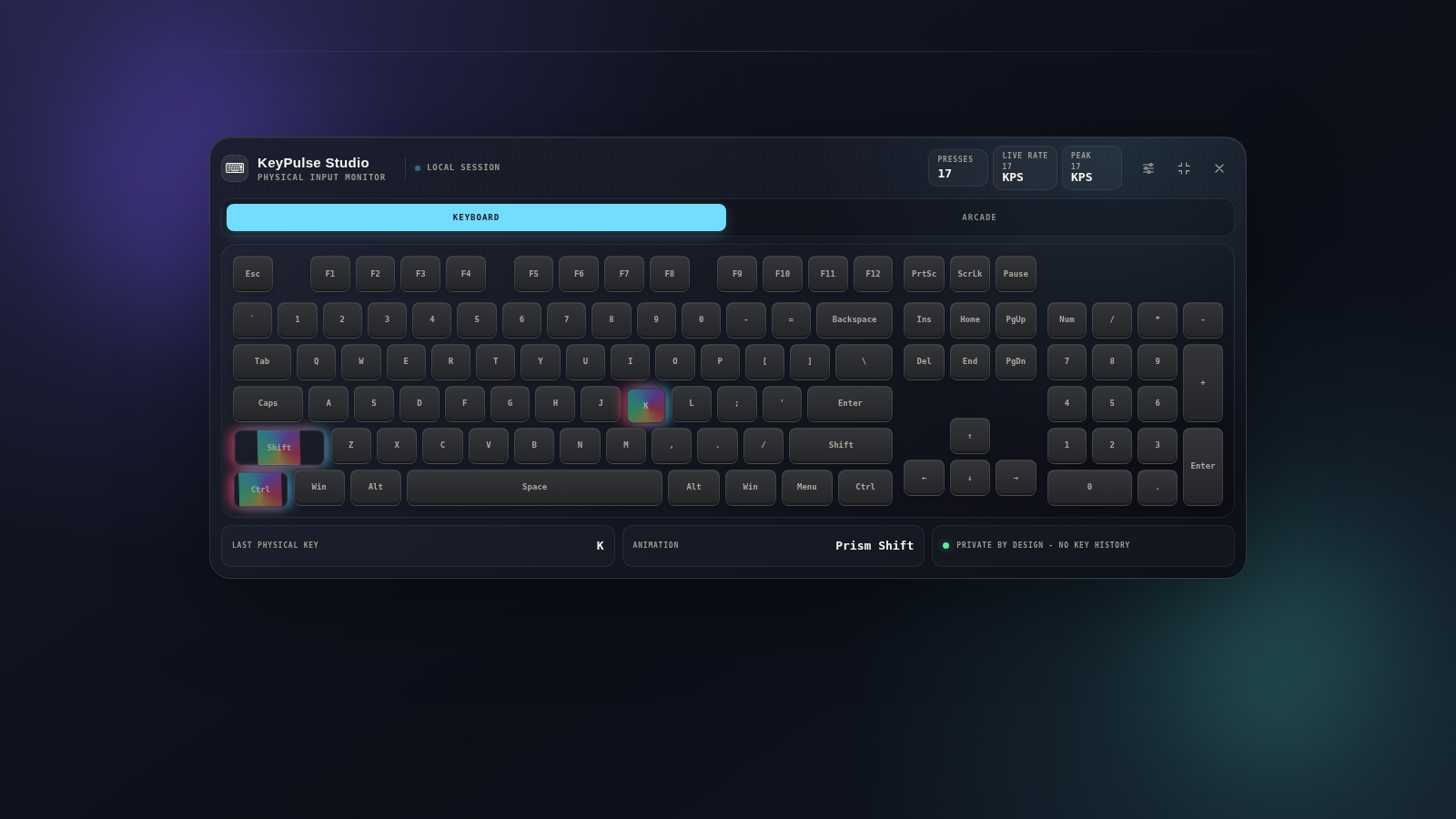
KeyPulse Studio is designed around the physical act of using a keyboard. It makes input visible, gives that input motion and personality, turns activity into live metrics, and adds lightweight games that make the keyboard itself part of the experience.
Watch individual keys, held modifiers, and multi-key combinations respond on screen in real time instead of disappearing the moment you press them.
Move beyond a static keyboard diagram with seven selectable animation styles built to make key feedback subtle, energetic, playful, or clean.
Use reaction, speed, and sequence challenges to interact with the same physical-key engine in a completely different way.
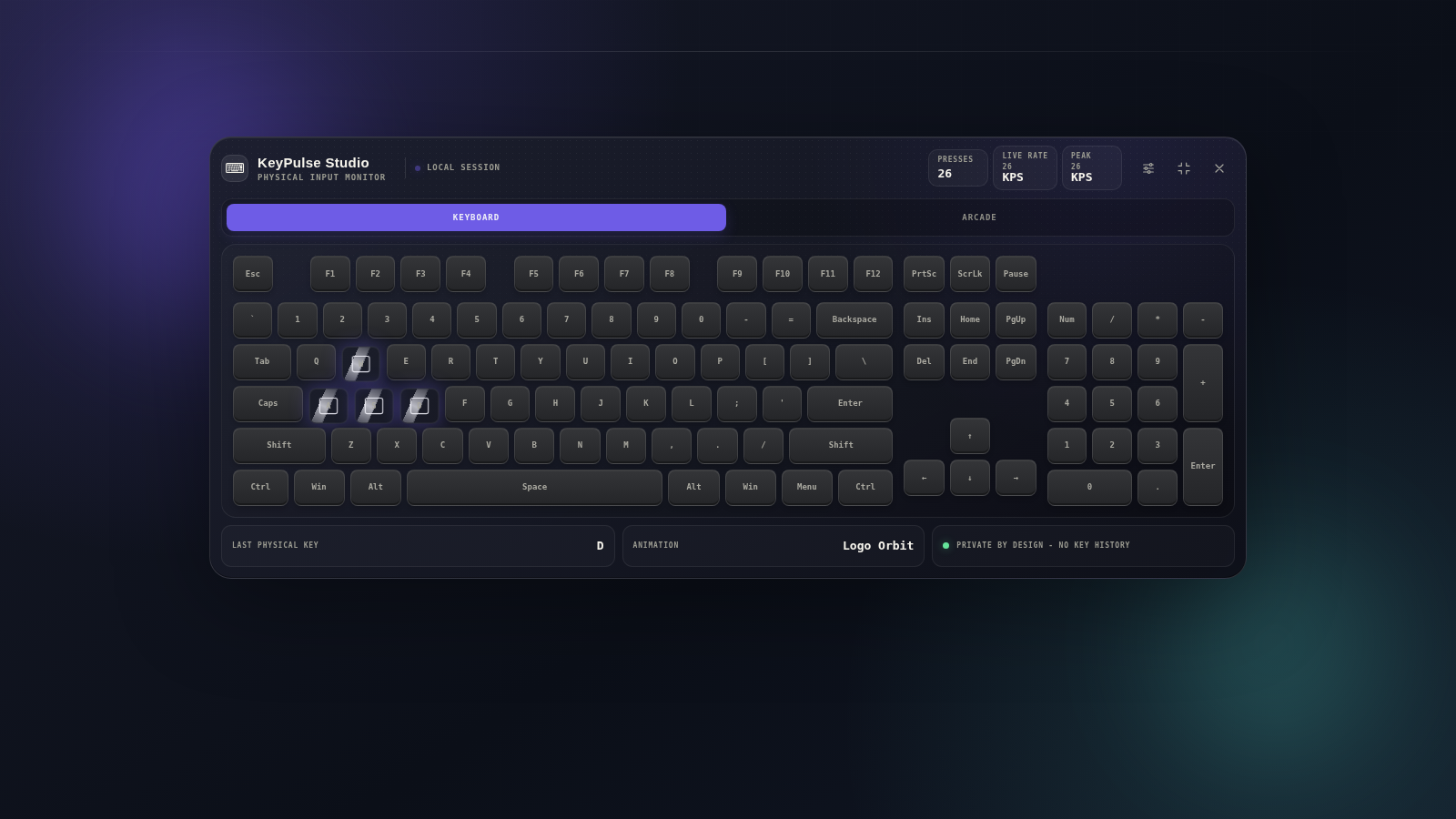
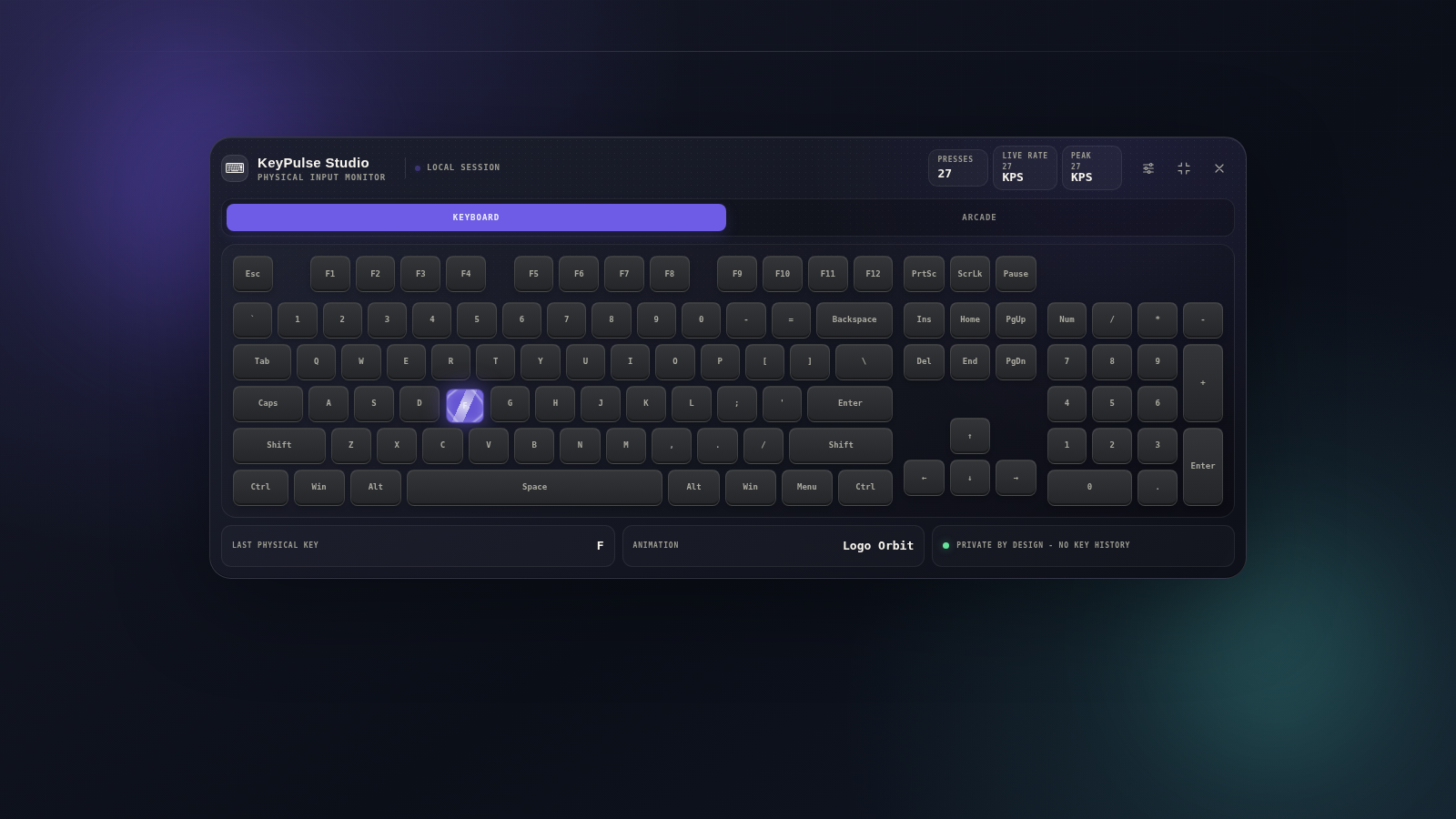
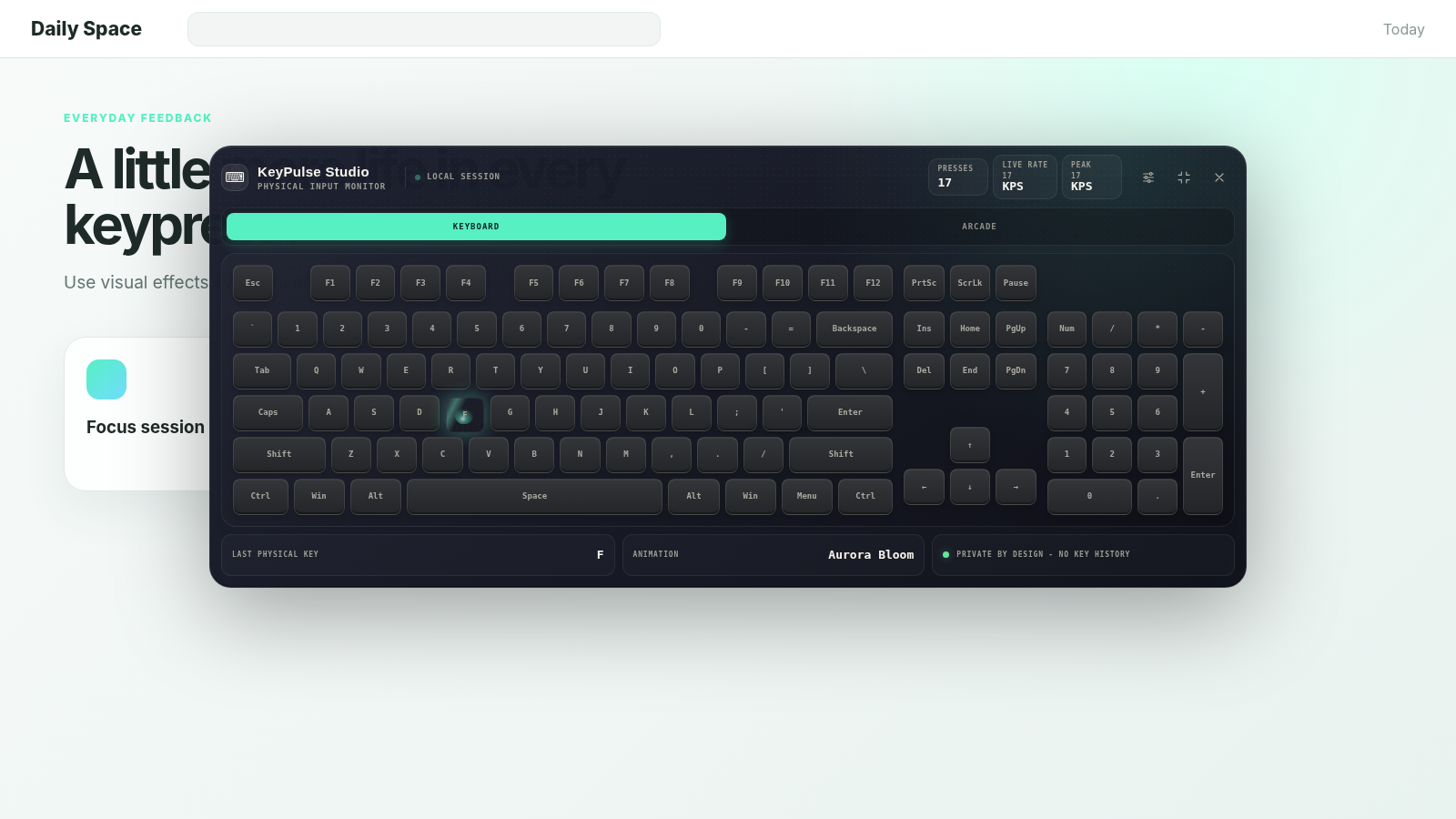
Studio Mode is the complete KeyPulse experience. The visualizer expands into a full keyboard layout with real-time physical-key highlighting, activity metrics, animation controls, and access to Arcade features in one focused interface.
See the keyboard as a complete visual system rather than a single-key indicator.
Held modifiers and combinations stay visible together for clearer shortcut demonstrations.
Visual effects, live statistics, and Arcade tools sit alongside the keyboard itself.
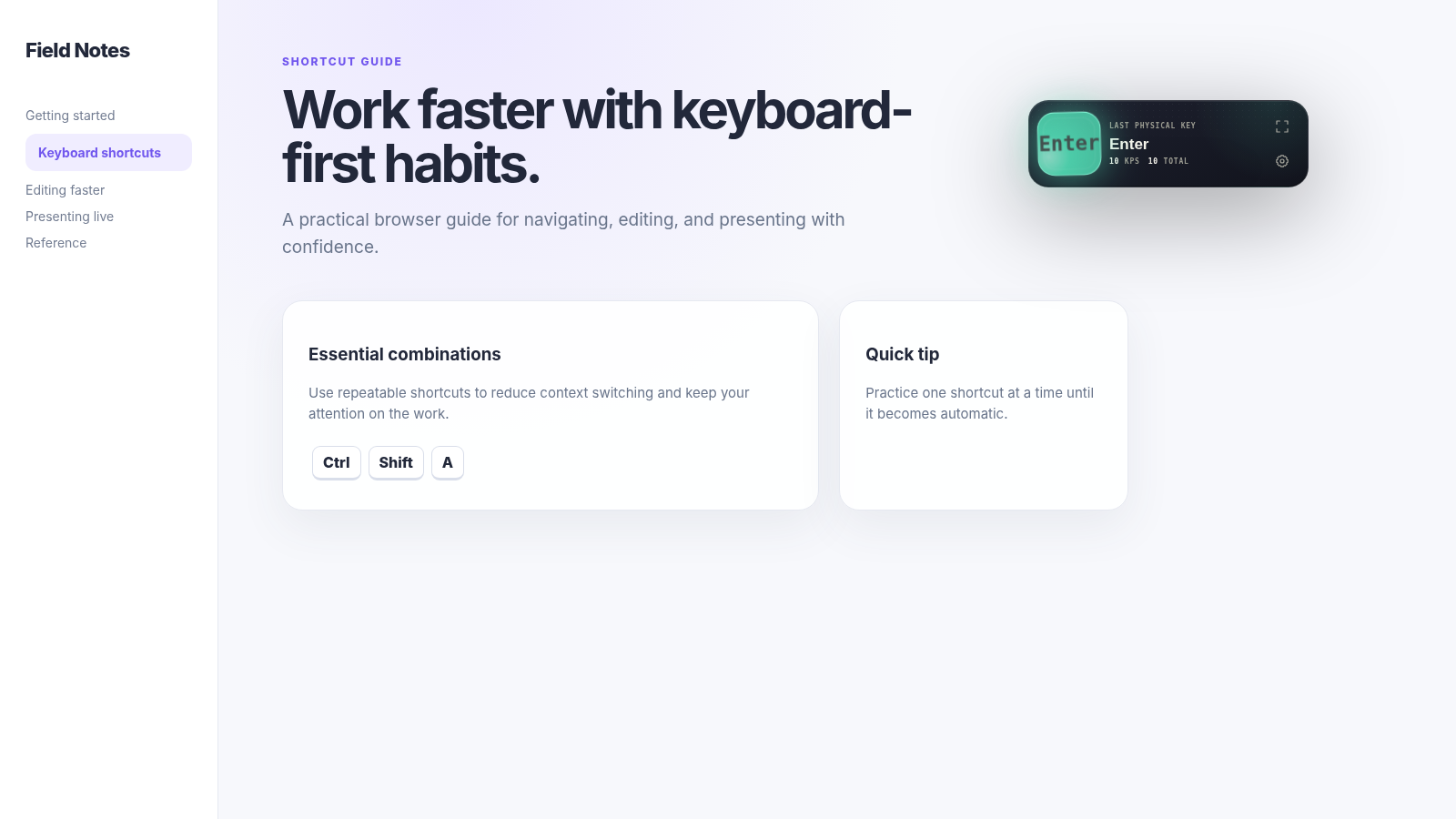
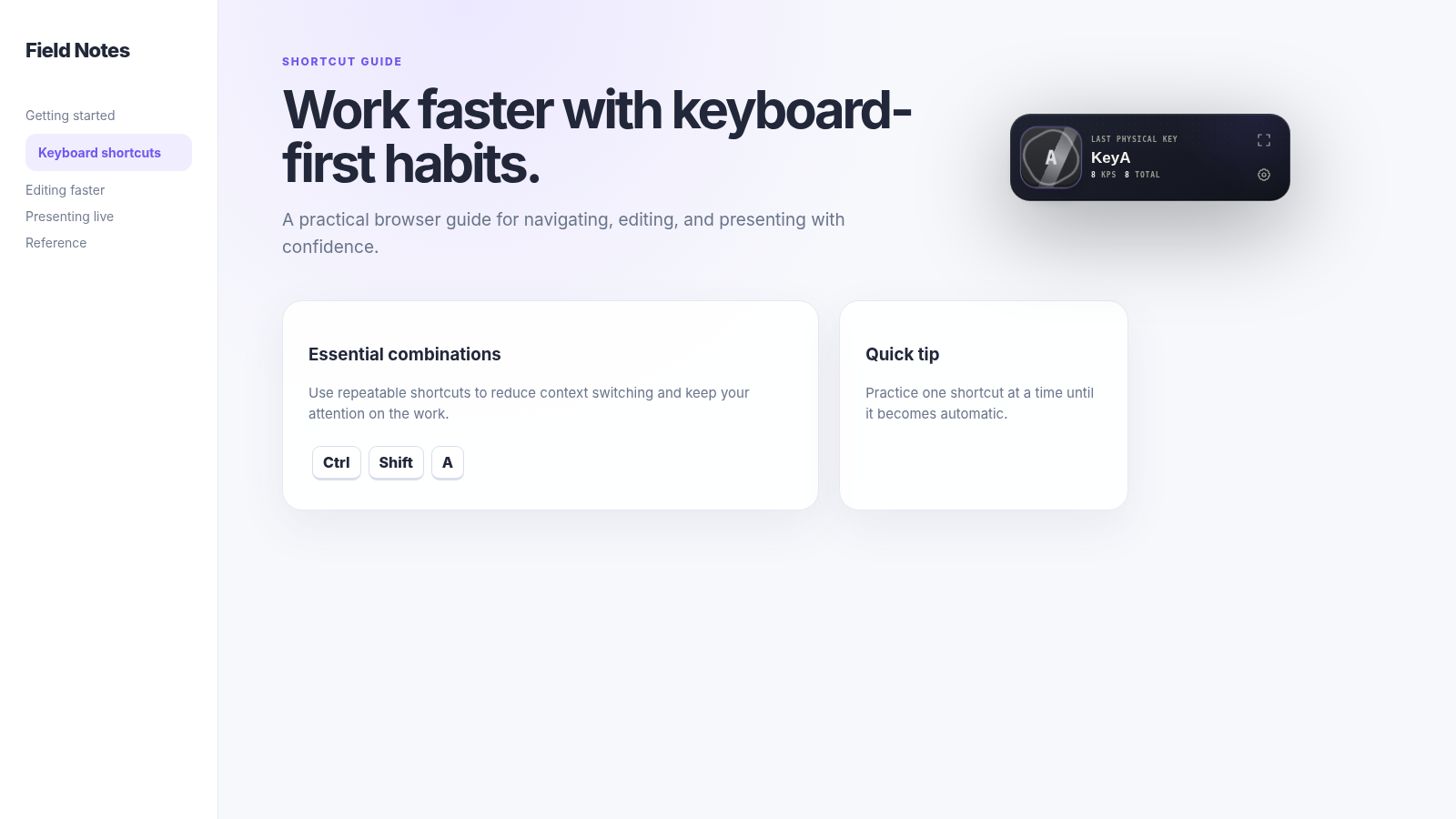
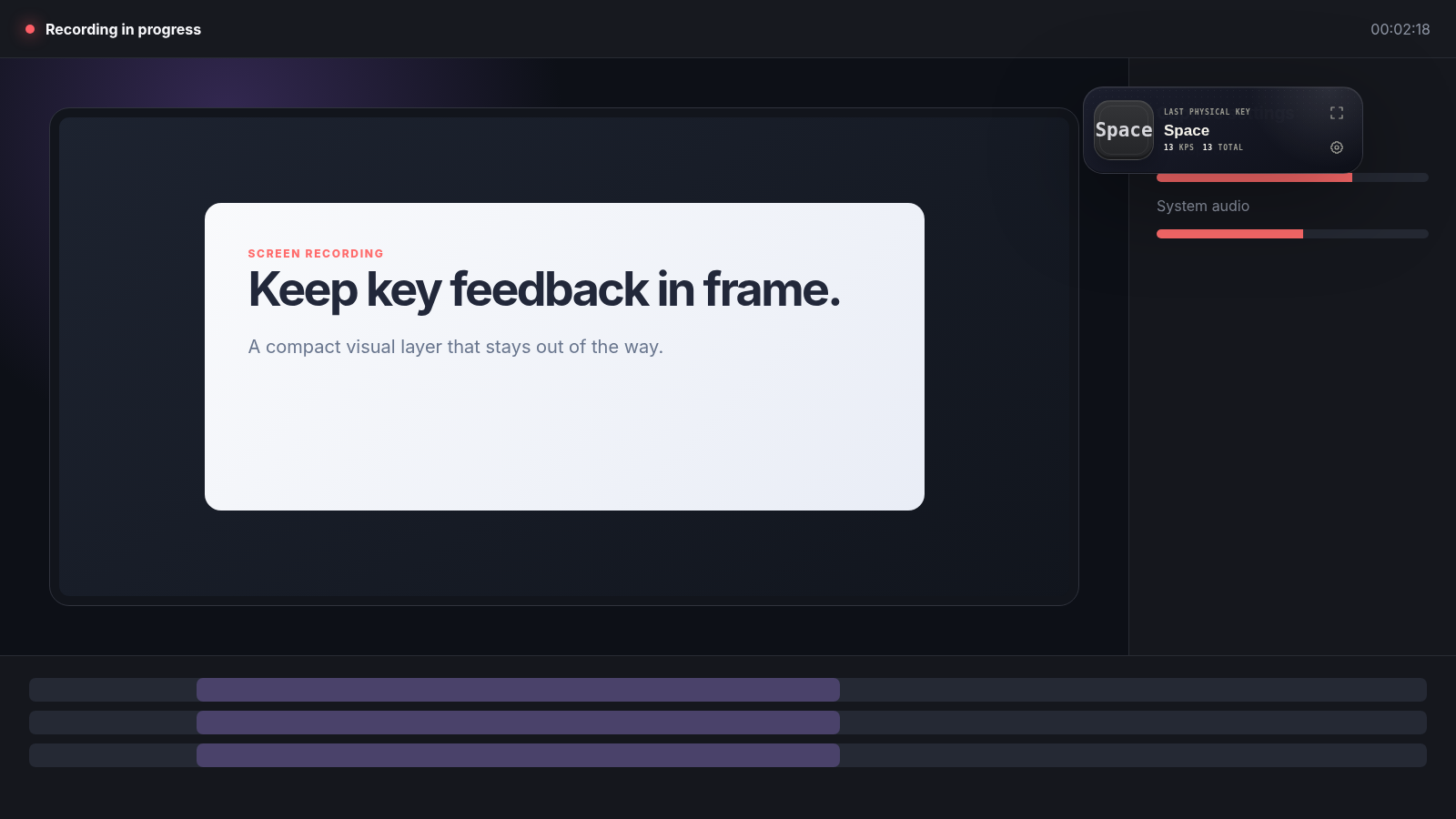
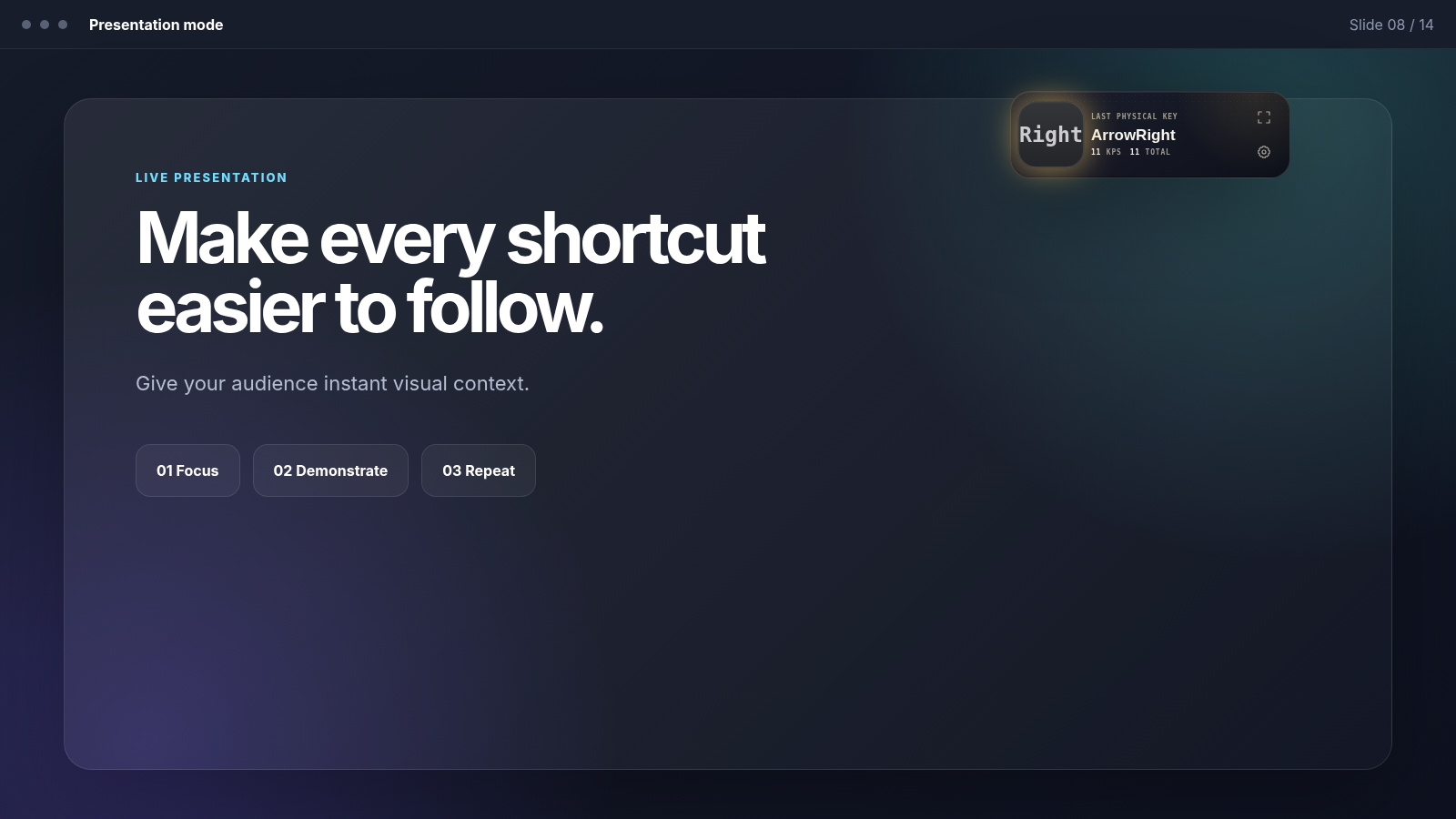
When the full Studio is more than you need, Compact Mode reduces KeyPulse to a small floating HUD. It keeps the most useful feedback available while you browse, teach, present, record, or work in another web app.
Designed to stay visible without becoming the main thing on the screen.
Keep the latest physical-key activity in view while your attention stays on the webpage.
Move back to Studio Mode whenever you want the full keyboard and richer controls.
KeyPulse Studio focuses on the physical keyboard state. Instead of only displaying typed characters, the interface reacts to the keys being pressed so the visual feedback remains useful for combinations, modifiers, demonstrations, and live input awareness.
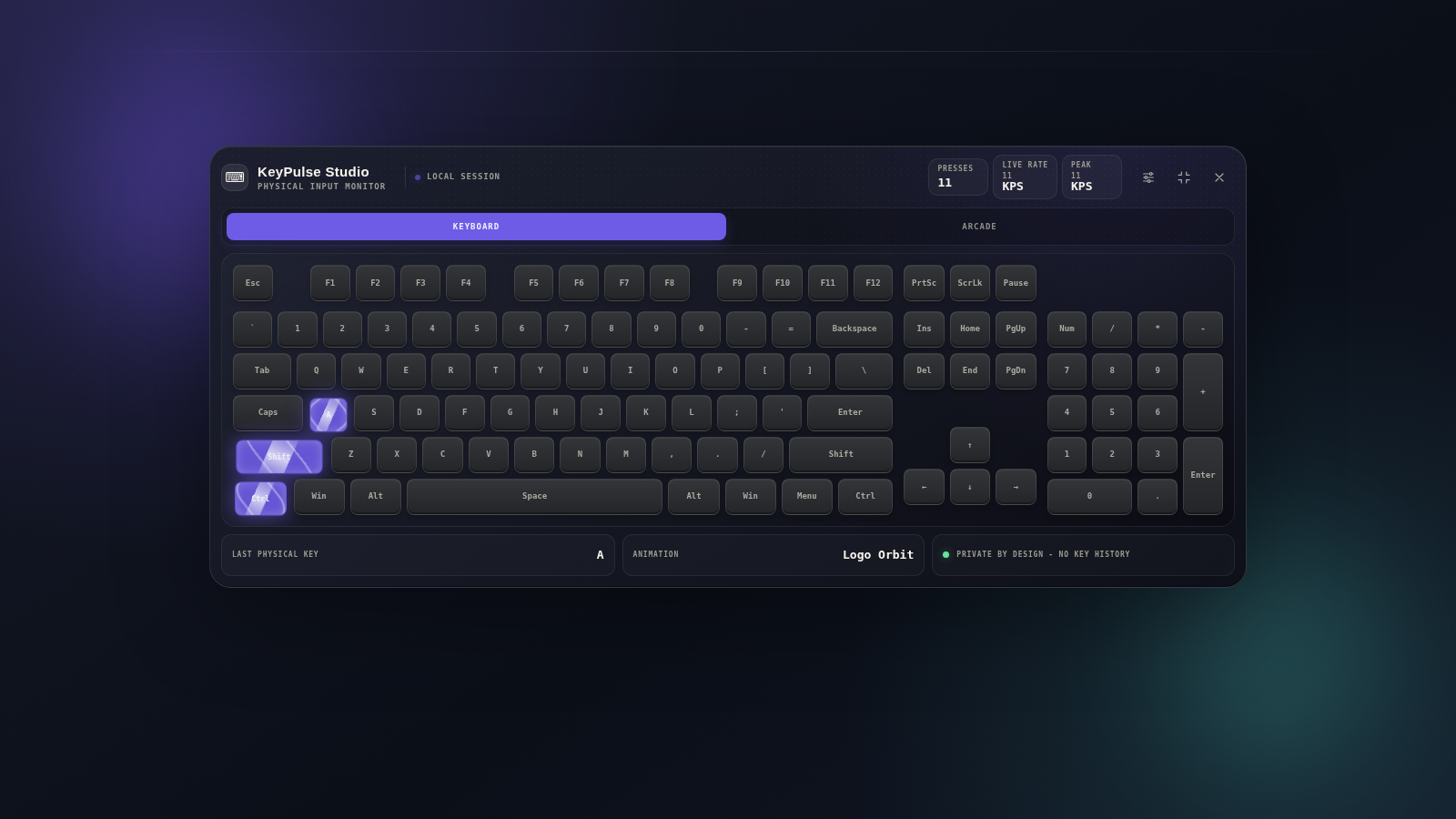
The keyboard does not have to react the same way every time. Animation Studio lets you choose a visual style that changes how key activity feels — from clean and restrained to colorful, energetic, and intentionally dramatic.
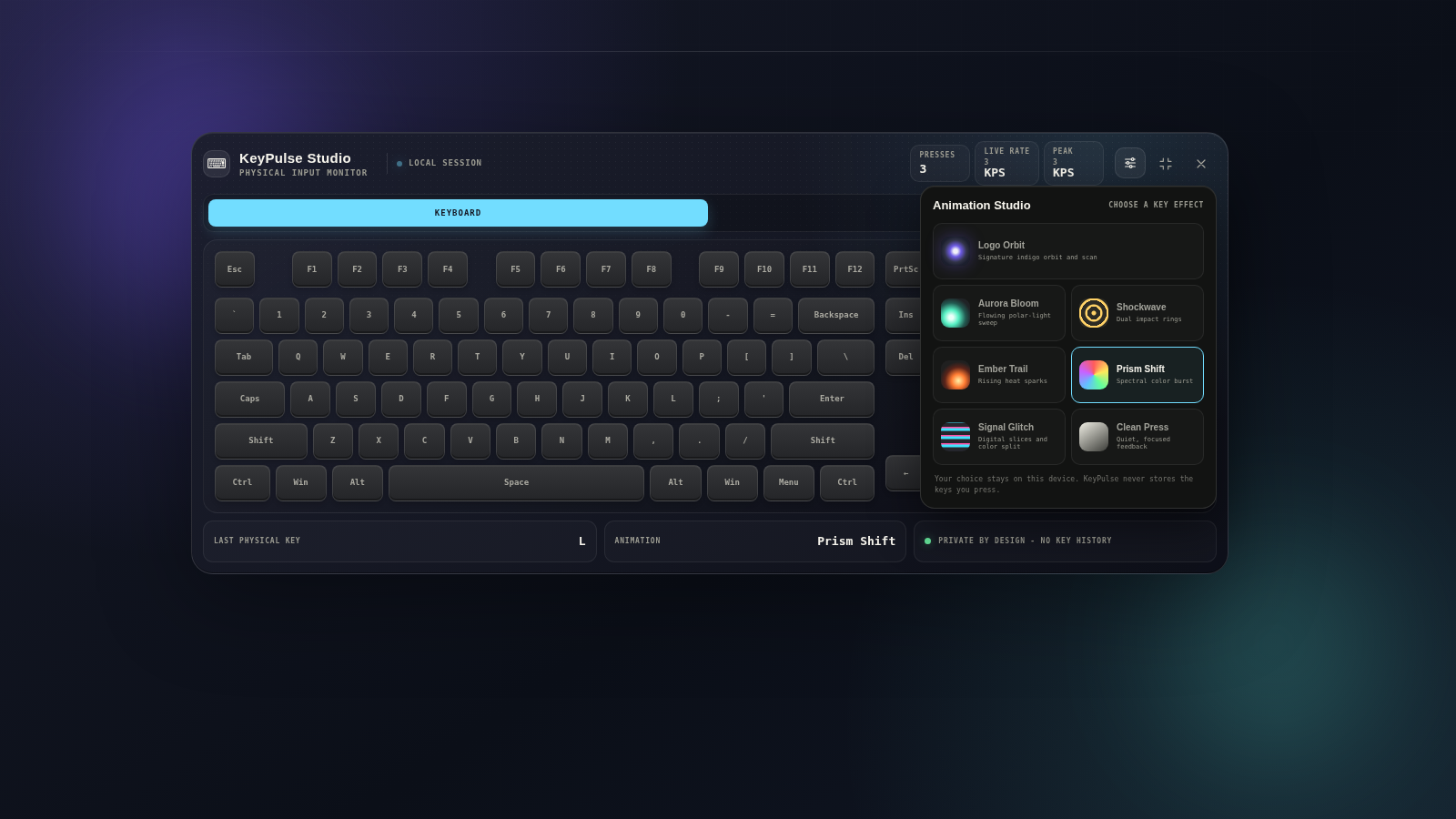
KeyPulse Studio adds lightweight session metrics to the visual experience. They are not meant to turn normal typing into a spreadsheet — they simply make speed and activity visible while you use the keyboard.
See your current keys-per-second activity in real time.
Keep track of the highest burst reached during the session.
Follow the total number of physical keypresses counted in the active session.
Get immediate confirmation of the most recent key activity.
Arcade Mode turns physical-key detection into three small challenges built around reaction speed, rapid input, and short-term memory. It gives KeyPulse Studio a playful side without changing the core visualizer into a separate game app.
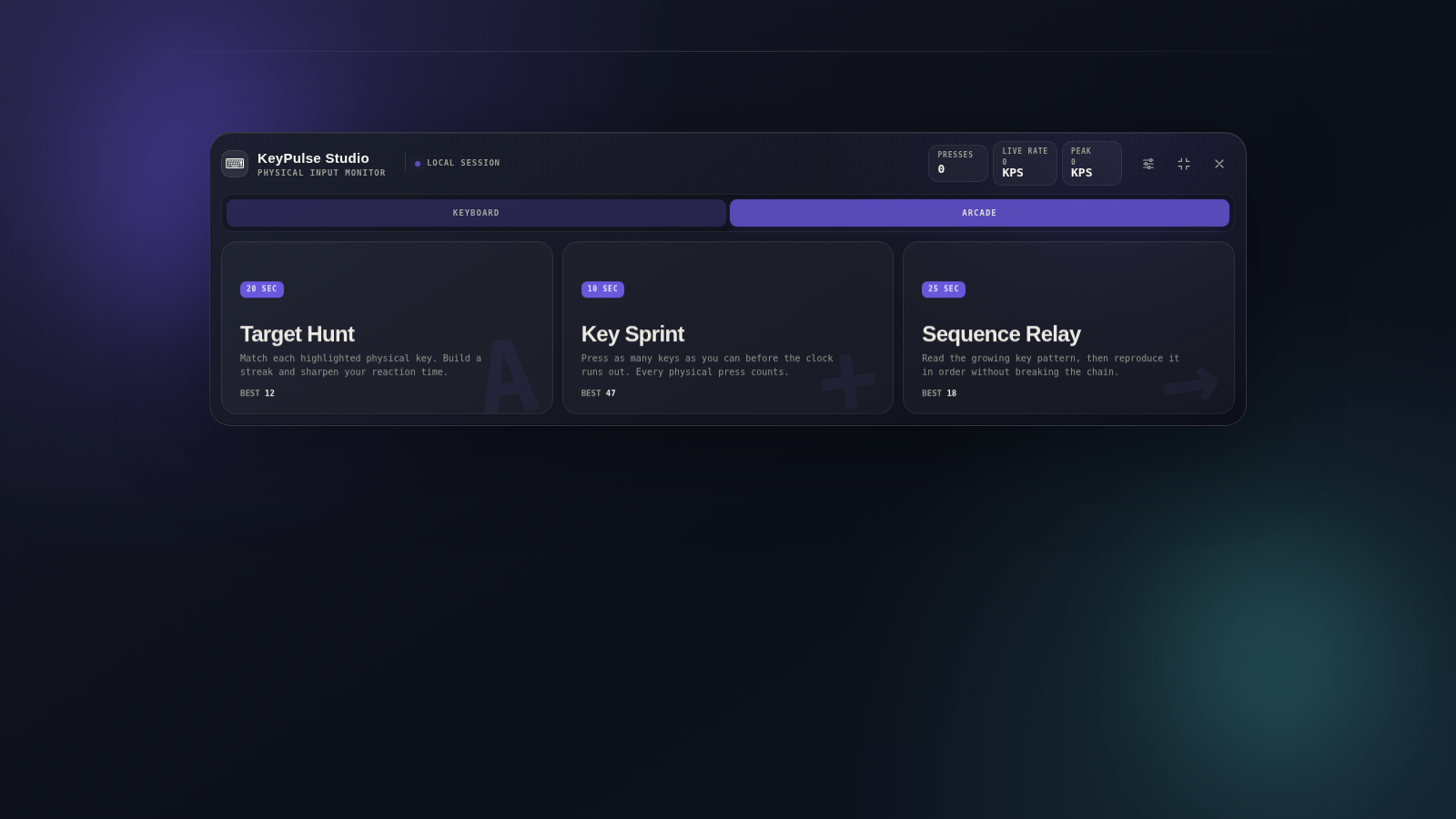
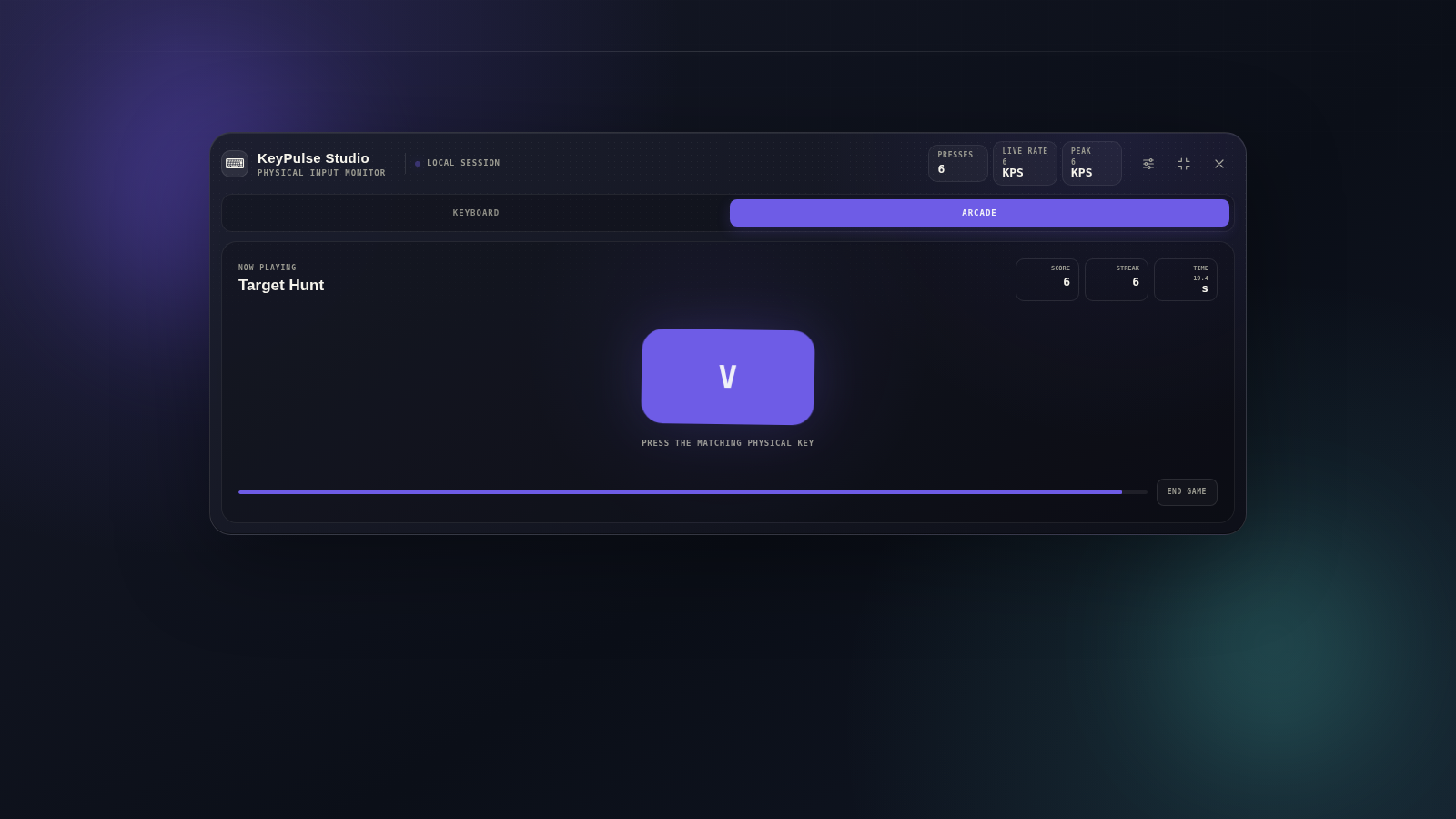
React to the requested key as quickly as possible. The game turns physical-key recognition into a direct reaction challenge with score and streak feedback.
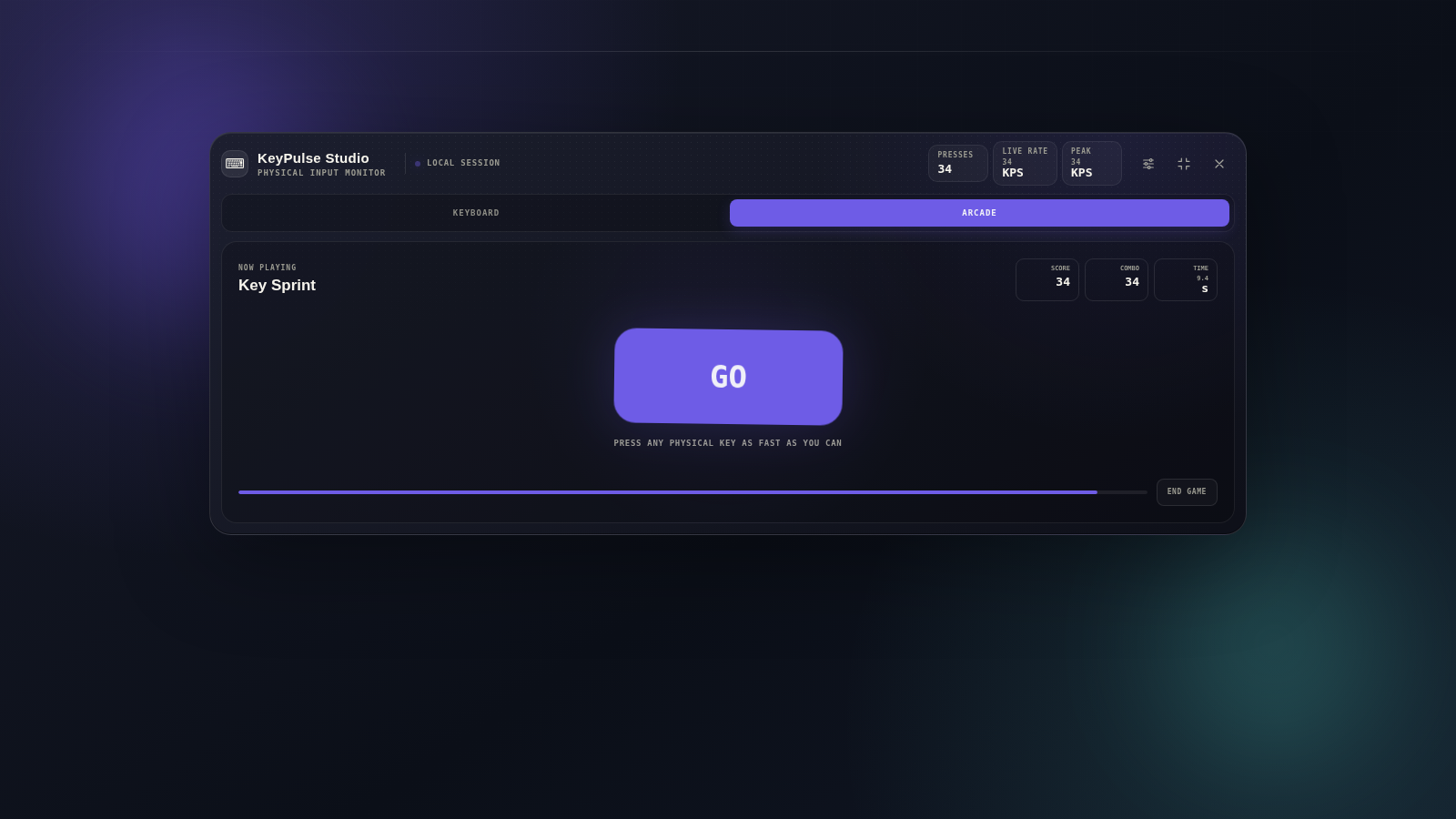
Press as many keys as you can before the short timer ends. It is a simple burst-speed challenge that makes raw keyboard activity the entire objective.
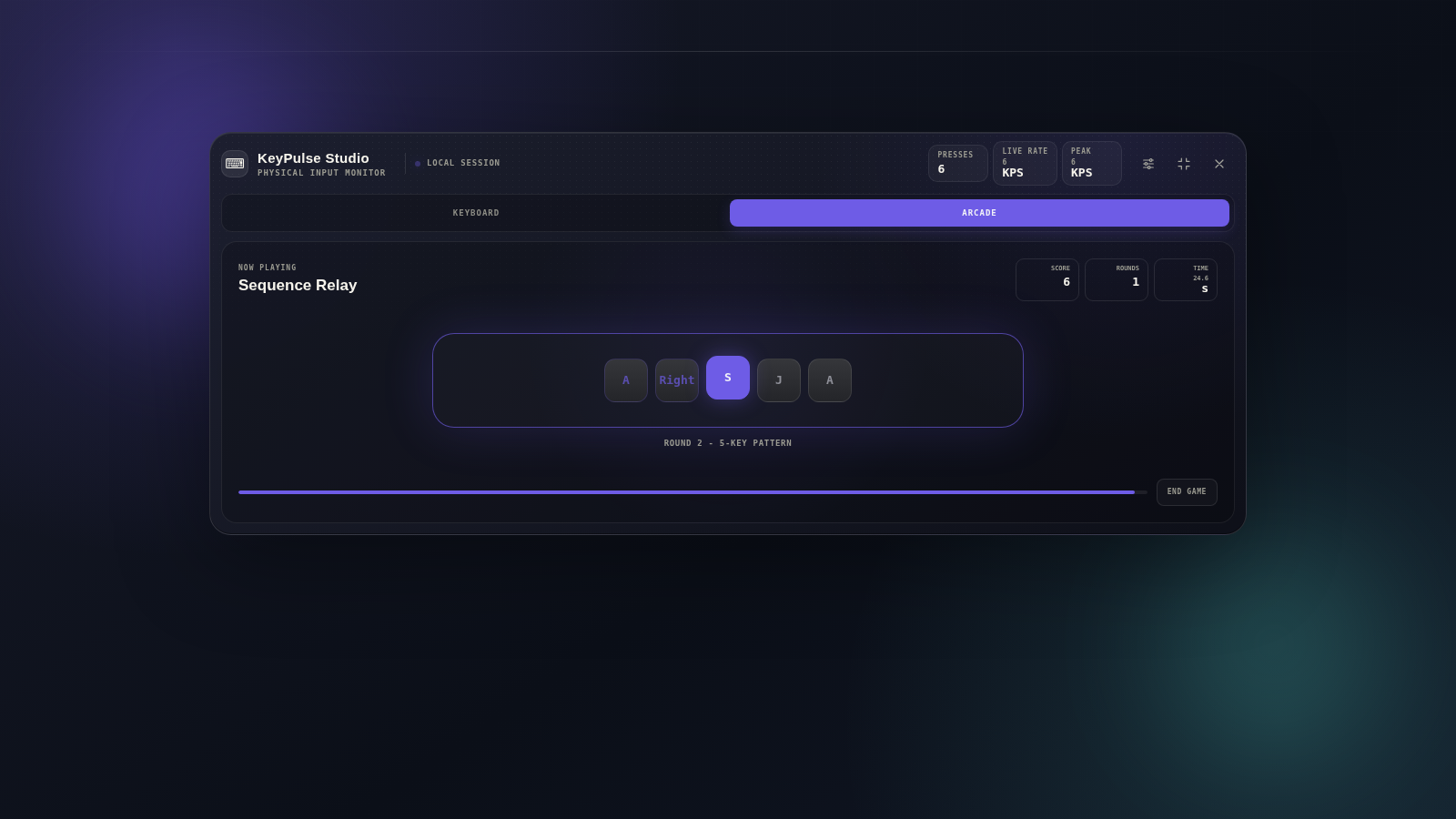
Remember and reproduce a growing key sequence. Each round shifts the focus from raw speed to concentration, recall, and accurate physical-key input.
KeyPulse Studio can stay purely functional or become part of the presentation itself. The same visualizer can support a tutorial, a recording, a shortcut demonstration, or simply make everyday keyboard activity more satisfying to watch.
Beyond the headline features, KeyPulse Studio is structured to move between lightweight everyday use and a richer full-screen experience without forcing you into one fixed mode.
Visual feedback is based on physical keyboard activity so the on-screen layout can reflect real key positions and combinations.
Use a small HUD when you want minimal interruption, then expand when you want the complete keyboard workspace.
Choose among seven distinct animation styles instead of being locked into one permanent visual treatment.
KPS, peak KPS, total presses, and the last physical key add context without turning the extension into a typing logger.
Reaction, speed, and memory challenges reuse the keyboard engine for something playful inside the same product.
The extension is designed to visualize current key activity rather than maintain a stored history of what you type.
KeyPulse Studio uses current keyboard activity to drive its on-page visualizer and does not keep a history of what you type. The complete policy explains data handling, extension permissions, local preferences, and sensitive input behavior in detail.
KeyPulse Studio is built to react to current keyboard activity, not to create a persistent record of the keys you type.
Read the dedicated Privacy Policy for the complete and current explanation of permissions, local storage, data handling, and sensitive inputs.
Use KeyPulse Studio for visual feedback, shortcut demonstrations, recordings, presentations, or a few rounds in the Keyboard Arcade. For support, feedback, or bug reports, contact the developer directly.